
Sagar Club Register
Create your Sagar Club account in about a minute. Each field on the register screen is numbered below with what to type and why.
~1 minute SMS code Invite optional 18+
Sagar Club 2026 · Adults 18+ only · Updated October 2026
Quick answer
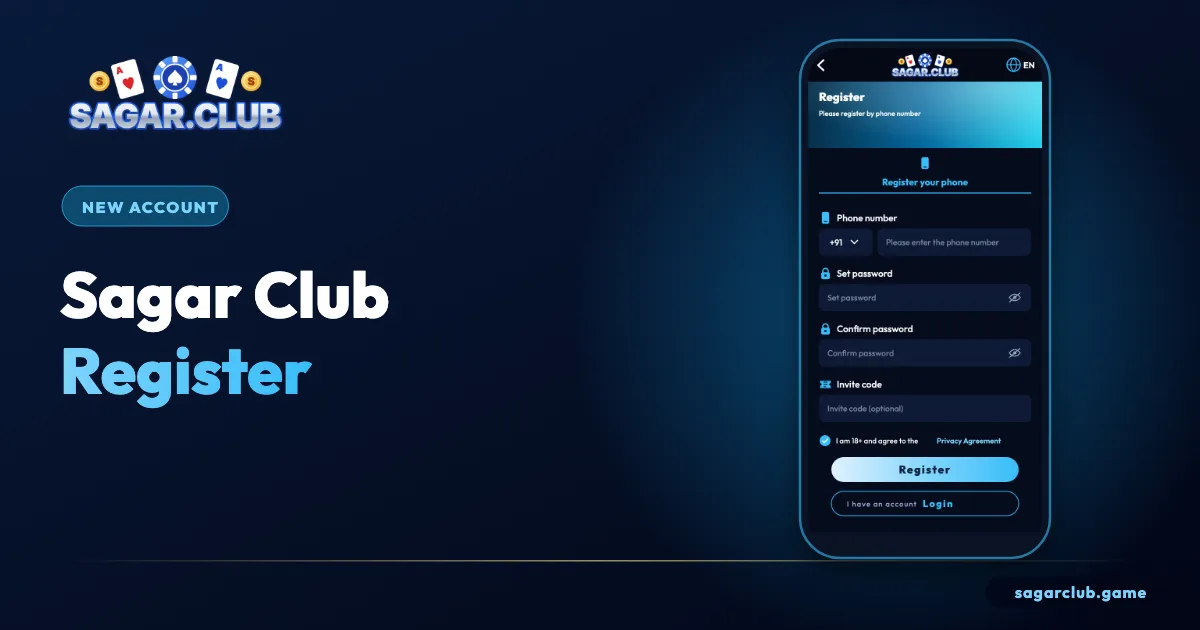
To complete a Sagar Club register (Sagarclub sign-up), tap Register, enter your ten-digit Indian number, set a password and type it again, add an invite code only if a friend gave you one, tick the 18+ box and enter the 6-digit SMS code.
On this page
- What you need before you start
- The register screen, field by field
- Two choices that matter for years
- Register errors and fixes
- Five minutes after registering
- Why Sagar Club asks for a phone number
- Building a password you’ll remember
- Age rules
- What happens after you tap Register
- Starting your account the right way
- Registering for someone else
- Sagar Club registration in one paragraph
- FAQs
— PREPARE
What you need before you start
Thirty seconds of preparation prevents most errors.
| Item | Notes |
|---|---|
| Mobile number | Indian, receives SMS, one you’ll keep |
| Password | 8+ characters, unused anywhere else |
| Invite code | Optional |
| Age | 18 or older |
— STEPS
The register screen, field by field
Six numbered steps on the screenshot.
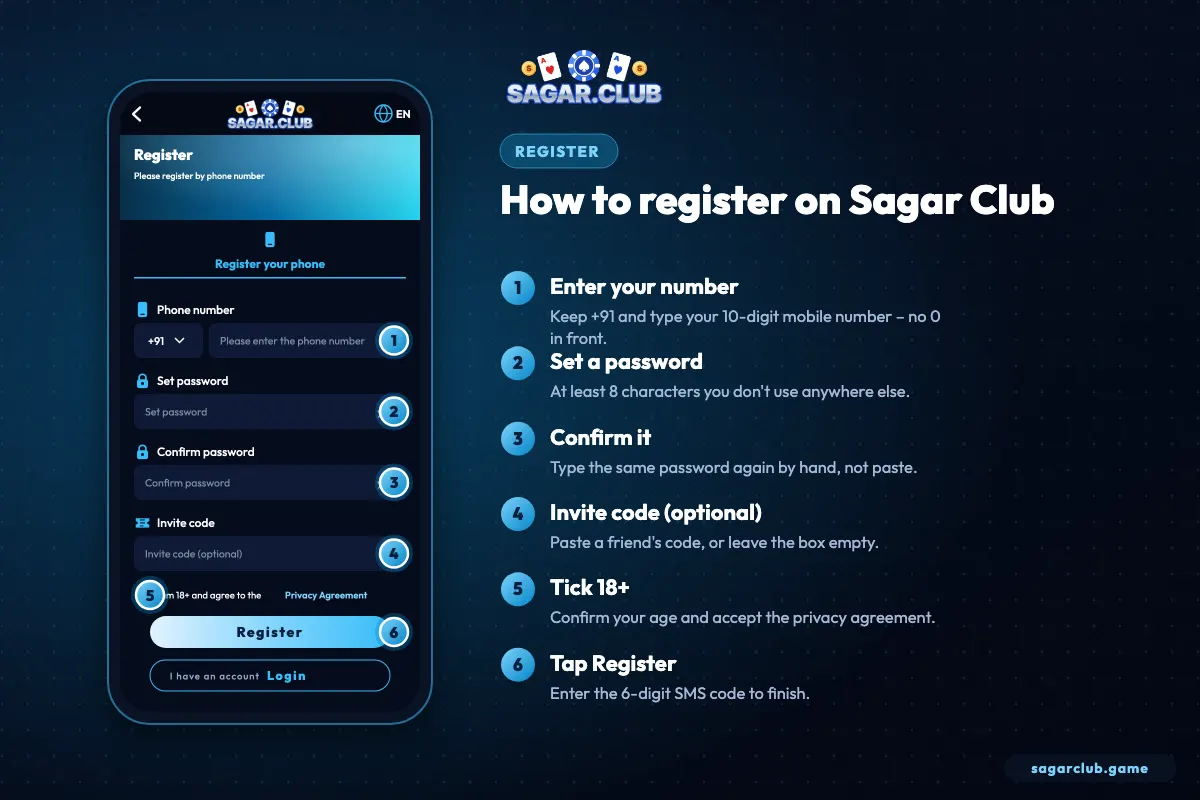
- Type your ten digits after +91.
- Set a password – long and unique.
- Type it again in Confirm password.
- Paste an invite code only if you have one.
- Tick the 18+ and privacy box.
- Tap Register and enter the SMS code.
— CHOICES
Two choices that matter for years
Your number and your password.
Your number becomes your login ID and the only place password-reset codes are sent. Choose the number you’ll still have next year – not an office SIM, not a relative’s phone, not a temporary SIM. If you change numbers later you can move the account, but it’s easier never to need to.
Your password protects everything. The simplest strong method is a passphrase: three unrelated words you can picture, joined with a number – something like kite-ocean-lantern-27 (don’t use that one). It’s long, memorable and hard to guess, and it shouldn’t be used anywhere else.
— ERRORS
Register errors and fixes
The five messages people see most.
| Message | Cause | Fix |
|---|---|---|
| Number already registered | You already have an account | Log in or reset the password |
| Passwords do not match | Hidden space or typo | Retype both by hand |
| Invalid invite code | Typo or expired | Clear the box |
| Code incorrect | An older code was typed | Use the newest SMS |
| Button does nothing | 18+ box unticked | Tick it |
Code not arriving? Work through OTP not received.
— AFTER
Five minutes after registering
Set up the account before you play.
- Write down your UID.
- Change the default nickname.
- Bind an email.
- Turn on login alerts.
- Install the app or bookmark the official site.
More: profile & settings · quick version: register in 60 seconds.
— WHY IT MATTERS
Why Sagar Club asks for a phone number
It’s your ID and your recovery key.
Using a mobile number as the login ID keeps sign-up quick and makes the account easy to recover: anyone with the registered SIM can reset the password with an SMS code. The flip side is that the SIM becomes very important. Choose a number you’ve had for a while and will keep, and protect it with a SIM PIN.
One account per person is the rule. A second account on another number won’t help with anything – it simply splits your history and can lead to both accounts being reviewed. If you’ve forgotten that you already registered, log in or reset the password instead of starting again.
— PASSWORDS
Building a password you’ll remember
Long beats complicated.
Short passwords with lots of symbols are hard to remember and surprisingly easy for computers to guess. A long passphrase is the opposite: easy for you, hard for anyone else. Pick three words that have nothing to do with each other or with you, add a number, and join them with dashes. Don’t use your name, birthday, phone number or ‘sagarclub’ anywhere in it.
| Example | Verdict |
|---|---|
| ravi1998 | Name + year – guessable |
| Sagar@123 | Site name + pattern – very common |
| 9876543210 | Your phone number – the first thing tried |
| kite-ocean-lantern-27 | Long, random words – strong (pick your own) |
— UNDER 18
Age rules
Strictly adults.
The 18+ box isn’t a formality. Sagar Club is for adults only, and accounts opened by under-18s can be closed. If you’re a parent, the responsible gaming page explains device controls that keep game apps off a child’s phone.
— BEHIND THE FORM
What happens after you tap Register
From form to lobby in a few seconds.
When you tap Register, the app checks that your number isn’t already in use, that both password boxes match and that the 18+ box is ticked. If everything is in order, it sends a six-digit code by SMS to the number you entered. Typing that code proves the phone is really yours, and only then is the account created. Within a second or two you land in the lobby with a fresh nickname and a UID – your permanent account number.
If the code doesn’t arrive, nothing has been created yet, so there’s no harm in waiting a minute and requesting a new one. Only the most recent code ever works, so don’t type an older message.
— GOOD START
Starting your account the right way
Habits that pay off from day one.
The first ten minutes with a new Sagar Club account set the tone for everything after. Write your UID somewhere you’ll find it. Change the default nickname to something that doesn’t reveal your real name. Bind an email so you have a second way in. Turn on login alerts. Then, before opening any game, decide how much time you’ll spend in the app today and set a phone alarm.
None of this takes long, and it means that if you ever lose your phone, forget your password or see a strange login, you’ll know exactly what to do and have the tools to do it.
— FAMILY
Registering for someone else
Please don’t.
Each Sagar Club account belongs to one adult, registered with their own number. Creating an account for a relative, a friend or a child – even with good intentions – breaks the rules and causes real problems later, because password resets go to the registered SIM. If someone you know wants to join, let them register themselves on their own phone, and point them to this guide.
— QUICK RECAP
Sagar Club registration in one paragraph
Everything above, condensed.
Use your own Indian mobile number – one you’ll keep for years – and a long passphrase that you don’t use anywhere else. Type the password into both boxes by hand, add a friend’s invite code only if you genuinely have one, tick the 18+ box and tap Register. Enter the newest six-digit SMS code to finish. Then, before opening any game, write down your UID, change the default nickname, bind an email and switch on login alerts. One account per person, registered by that person on their own phone, is the rule. Following these few steps gives you an account that’s easy to recover and hard for anyone else to take over.
Open Sagar Club the right way
Use the official app or website – one Sagar Club account works on every device.
— FAQ
Frequently asked questions
Is Sagar Club registration free?
Yes.
Do I need an invite code?
No.
Can I register with email only?
No – use a number, then bind an email.
Can I have two accounts?
No – one per person.