
Sagar Club Forgot Password
If you still have the SIM you registered with, you can reset your Sagar Club password yourself in about two minutes.
Sagar Club 2026 · Adults 18+ only · Updated October 2026
Quick answer
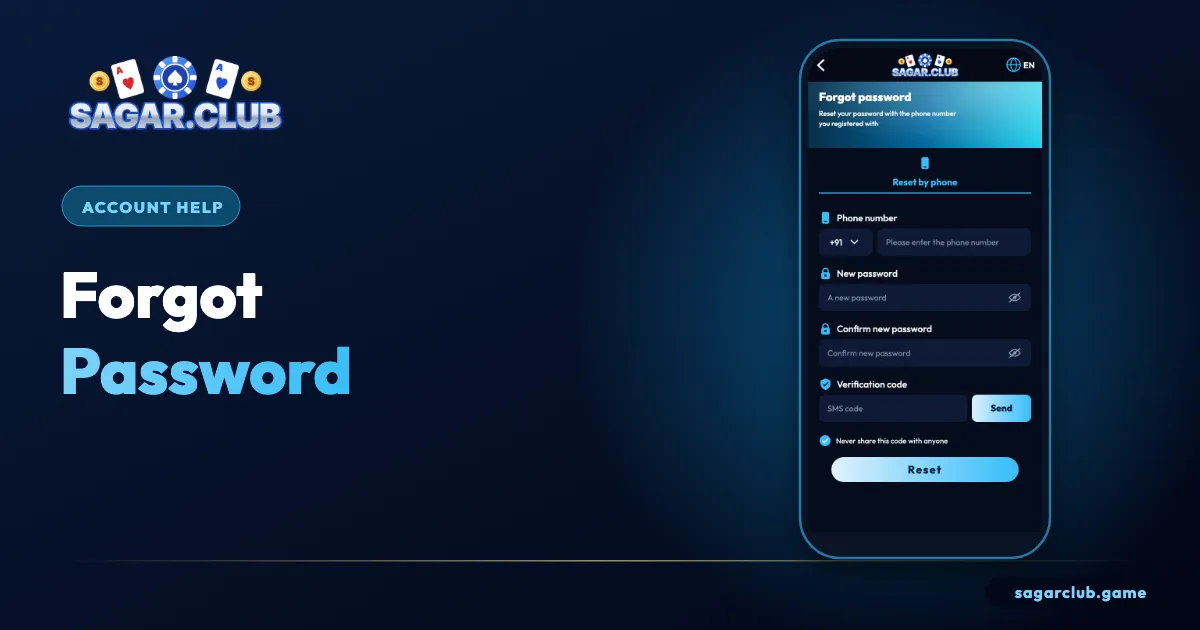
Tap Forgot password, enter your registered number, type a new password twice, tap Send, enter the SMS code and tap Reset.
On this page
— STEPS
The reset screen, numbered
Five steps.
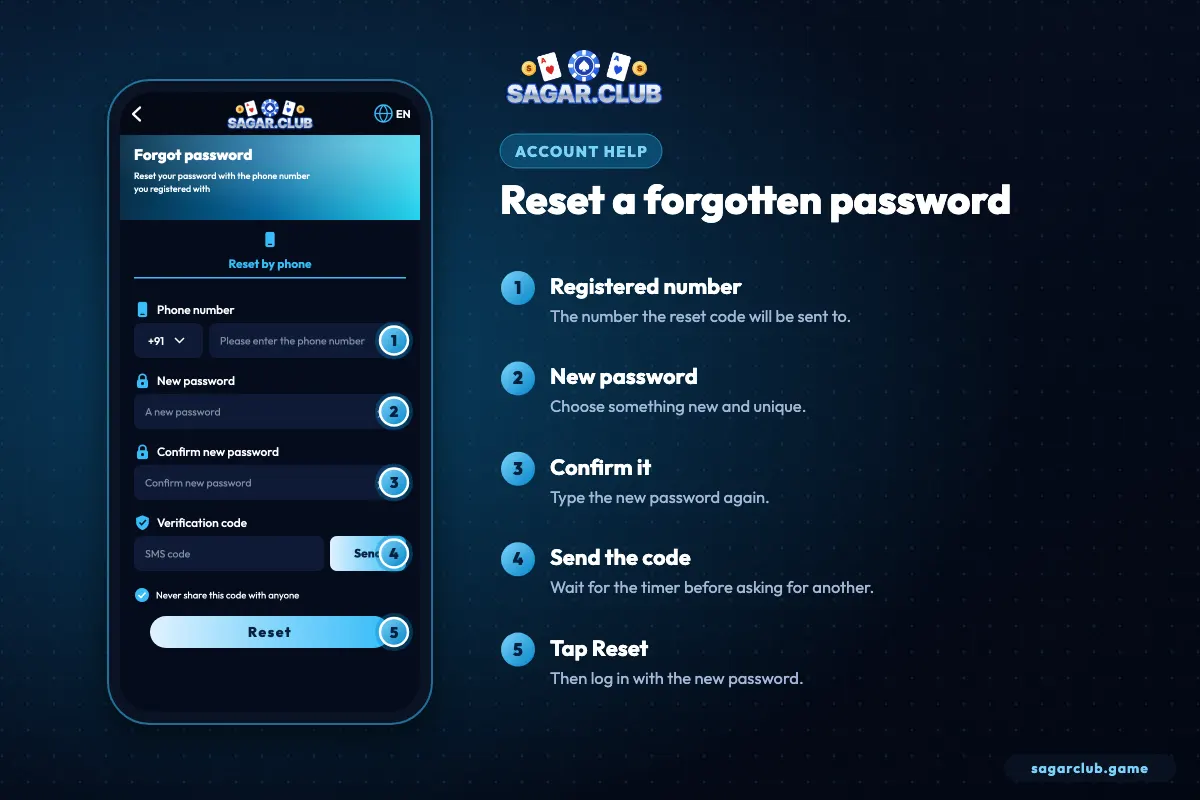
- Enter the registered number.
- Type a new password.
- Confirm it.
- Tap Send for the SMS code.
- Tap Reset, then log in.
— FAILS
When the reset doesn’t work
The usual causes.
| Problem | Cause | Fix |
|---|---|---|
| No SMS | Spam folder, DND, wrong SIM | See OTP not received |
| Number not registered | Registered on another SIM | Try your other number |
| Lost SIM | Code can’t reach you | Replacement SIM or support |
| Code expired | Took too long | Request a fresh code |
— WHY
Why you shouldn’t keep guessing
Locks last longer than resets.
Several wrong passwords trigger a temporary lock of 15–30 minutes, and more attempts can extend it. A reset takes two minutes. After two careful tries, resetting is always the faster route.
— NEW PASSWORD
Choosing the new password
Don’t just add a 1.
The most common mistake after a reset is choosing almost the same password again – the old one with a number added. If the old password was guessed or leaked, a near copy is just as weak. Use a fresh passphrase: three unrelated words and a number. Then save it in your phone’s password manager so you don’t need to reset again.
— LOST SIM
When the registered SIM is gone
Replacement first, support second.
If you’ve lost the phone or the SIM, the fastest route is usually a replacement SIM with the same number from your mobile operator – take ID to a store. Once it’s active, reset as normal. If the number is gone for good, contact Sagar Club customer service with your UID and as much account detail as you can; they’ll explain how ownership is verified before the number is changed.
This is exactly why we recommend binding an email on day one: with an email bound, you have a second way in.
— TIMELINE
How long a reset takes
Usually two minutes.
A normal Sagar Club password reset takes about two minutes: a few seconds to fill in the form, up to a minute for the SMS to arrive, and a few seconds to confirm. If it’s taking much longer, the delay is almost always the SMS. Work through the checks on the OTP page – signal, spam folder, DND settings and the right SIM – before trying again.
Resist the urge to tap Send repeatedly. Each new request cancels the previous code, and too many requests in a short time trigger a temporary pause of around thirty minutes.
— AFTER RESET
What changes after a reset
And what stays the same.
A successful reset changes only your password. Your UID, nickname, history, VIP level, check-in streak and settings all stay exactly as they were. What does change is every active session: any other phone, tablet or browser that was logged in is signed out immediately. That’s a deliberate safety step – if someone else had access, a reset locks them out.
Sign back in on your own devices with the new password, and save it in your phone’s password manager so you don’t need to reset again.
— PREVENTION
Never needing a reset again
Three simple habits.
Use a passphrase you can actually remember, store it in your phone’s password manager, and bind an email to your account as a backup. Those three steps make ‘forgot password’ a rare event rather than a monthly one.
— RECAP
Forgot password – the short version
Two minutes, start to finish.
Tap Forgot password on the login screen, enter your registered number, type a new passphrase twice and tap Send. Enter the newest SMS code and tap Reset. Every other device is signed out, and your UID, history, VIP level and settings stay exactly as they were. If the code doesn’t arrive, check signal, spam folders, DND settings and which SIM is active, and avoid pressing Send repeatedly. If the SIM is lost, get a replacement with the same number or contact customer service with your UID. Save the new password in your phone’s password manager so you never need to go through this again.
Open Sagar Club the right way
Use the official app or website – one Sagar Club account works on every device.
— FAQ
Frequently asked questions
Can support tell me my password?
No – nobody can see it.
Will a reset log me out elsewhere?
Yes – every other session ends.
Can I reset my password by email?
If you’ve bound an email, check the reset options on the login screen. Otherwise, the reset goes to your registered number.
Will my VIP level reset with my password?
No. Only the password changes; everything else stays the same.