Sagar Club App Download
Install the Sagar Club app the safe way – an APK from the official site on Android, or a Safari home-screen app on iPhone.
Android APK iPhone web app Free
Sagar Club 2026 · Adults 18+ only · Updated October 2026
Quick answer
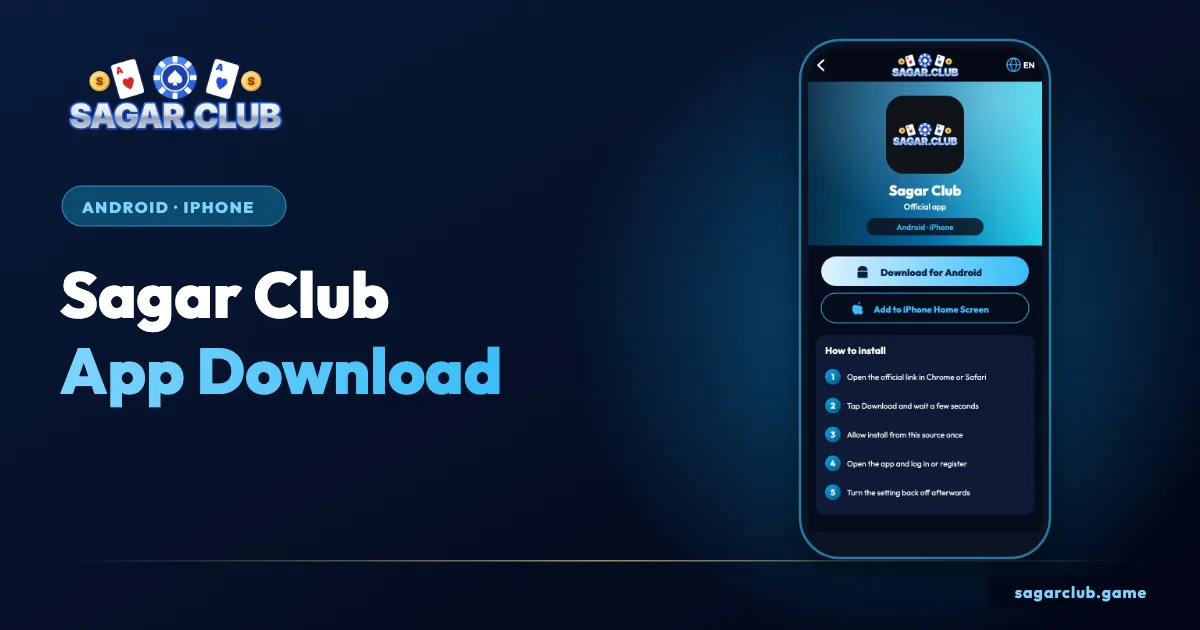
Android: open the official site in Chrome, tap Download for Android, allow Chrome to install once, install and log in, then switch the permission off. iPhone: open the official site in Safari, tap Share, then Add to Home Screen.
On this page
- The download screen, explained
- Installing on Android, carefully
- Adding Sagar Club on iPhone
- Install errors and fixes
- Why Sagar Club isn’t in the Play Store
- Space, data and battery
- Keeping the app up to date
- What to expect the first time you open the app
- Running Sagar Club on an older phone
- Removing the app
- Sagar Club app download – the essentials
- FAQs
— STEPS
The download screen, explained
Three numbered areas.
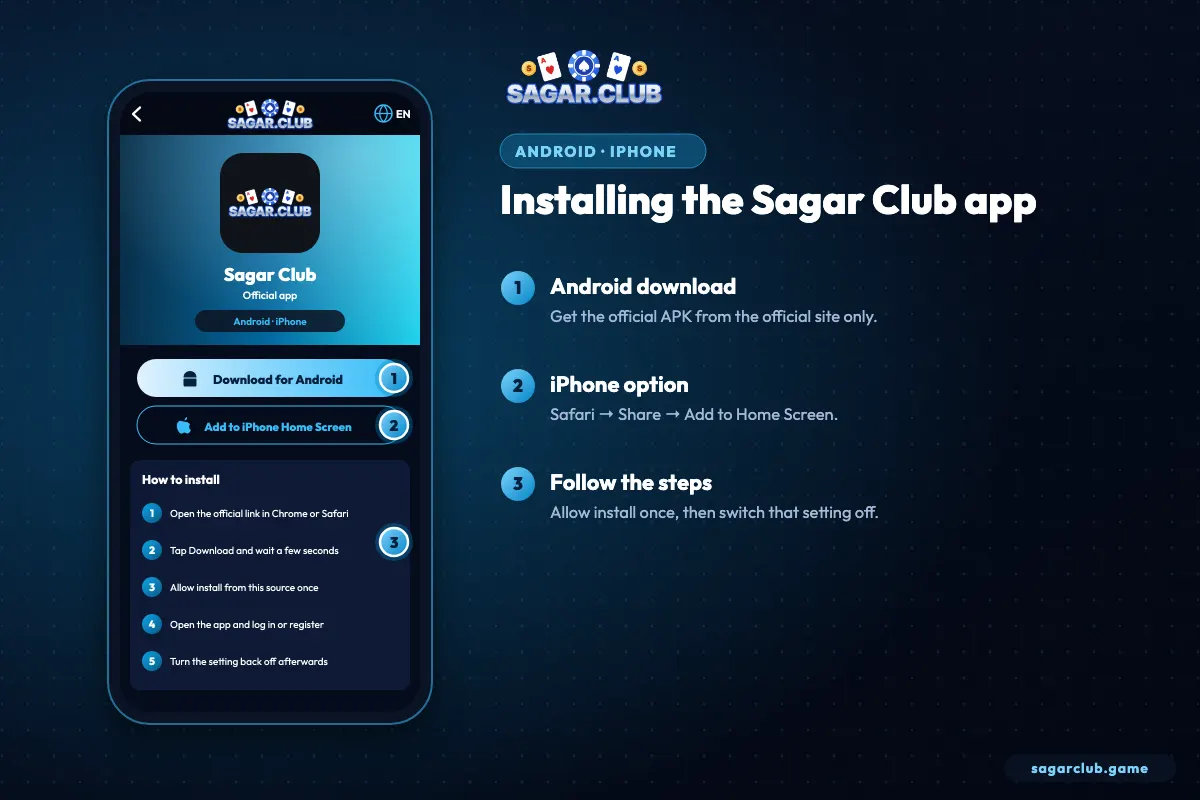
- Download for Android – the official APK.
- Add to iPhone Home Screen – Safari route.
- How to install – the short checklist on the page.
— ANDROID
Installing on Android, carefully
Allow once, install, then close the door again.
- Open the official site in Chrome – from a bookmark, not a forward.
- Tap Download for Android; accept Chrome’s standard warning for app files.
- Allow Chrome to install apps when Android asks.
- Check the permissions: internet and notifications only.
- Install, open and log in.
- Settings → Apps → Special app access → Install unknown apps → Chrome → off.
— IPHONE
Adding Sagar Club on iPhone
No App Store, no profiles.
- Open the official site in Safari (not in Private mode).
- Tap Share.
- Tap Add to Home Screen, then Add.
- Open the new icon and log in.
Never install a ‘profile’ or ‘certificate’ to get any app on iPhone.
— ERRORS
Install errors and fixes
What each message means.
| Message | Cause | Fix |
|---|---|---|
| App not installed | Another copy exists | Uninstall it first |
| Blocked by Play Protect | Generic check | More details → Install anyway (official file only) |
| Problem parsing the package | Incomplete download | Download again on Wi-Fi |
| White screen | Weak signal or old version | Switch network; update |
— WHY AN APK
Why Sagar Club isn’t in the Play Store
And what that means for you.
Many game apps in this category are distributed directly from their own website as an APK file rather than through the Google Play Store. Installing an APK is a normal Android feature, but it puts the responsibility for checking the source on you. That’s why we keep repeating the same advice: download only from the official site, and nowhere else.
After installing, it’s good practice to switch Chrome’s ‘install unknown apps’ permission off again. It doesn’t affect the Sagar Club app at all – it simply closes the door so that no other website can install something without you noticing.
— STORAGE
Space, data and battery
What the app actually uses.
| Item | What to expect |
|---|---|
| Install size | Small – a few tens of MB |
| Lottery rooms | Very light on data |
| Slots & fishing | Heavier graphics; first load on Wi-Fi |
| Battery | Similar to a video app while open |
| Background use | Only notifications |
If the app feels slow, close other apps, free a little storage and check you have the latest version. A full phone (less than 1 GB free) slows down every app, not just Sagar Club.
— UPDATING
Keeping the app up to date
Updates fix bugs and add rooms.
When a new version is ready, the app shows an update prompt. Tap it and install over the top – your login and history stay. If you’ve ignored prompts for a while and the app stops loading, download the latest file from the official site and install it over the existing app. Never accept ‘updates’ sent as files in chat apps.
— FIRST LAUNCH
What to expect the first time you open the app
A quick tour.
The very first launch of the Sagar Club app takes a little longer than later ones, because it downloads the images and layouts it needs. You’ll see the logo, then the login screen. After you sign in, the lobby appears with the banner, the six category tabs and the room list. From the second launch onwards, the app opens almost instantly because most of that is already stored on your phone.
If Android asks whether Sagar Club may send notifications, choose what suits you. Login alerts are worth having; event reminders are optional and can be switched off later in your profile.
— OLD PHONES
Running Sagar Club on an older phone
Keep it light.
Sagar Club works on most Android phones from the last several years. On older or low-memory phones, stick to lottery rooms such as WinGo, K3 and 5D, which are light on graphics. Close other apps before opening Sagar Club, keep at least 1 GB of storage free and restart the phone occasionally. Slots and fishing rooms use far more graphics and may feel slow on older hardware.
If the app crashes repeatedly, uninstall it, restart the phone and install the latest version from the official site. Your account isn’t stored on the phone, so you’ll lose nothing but the need to log in again.
— UNINSTALL
Removing the app
Clean and simple.
If you’d like a break, uninstalling the app is completely safe: Settings → Apps → Sagar Club → Uninstall. Your account remains on Sagar Club’s servers, untouched. On iPhone, press and hold the home-screen icon and choose Remove. Coming back later is as easy as installing again and logging in.
— RECAP
Sagar Club app download – the essentials
Remember these five points.
Download only from the official site, opened from a bookmark or a link inside the app. On Android, allow Chrome to install once, check that the app asks only for internet and notifications, install, then switch the permission off again and delete the file from Downloads. On iPhone, use Safari’s Add to Home Screen in a normal tab – never install a profile or certificate. Keep the app updated through its own prompt or by installing the newest official file over the old one. And remember that uninstalling never deletes your account; you can always come back by installing again and logging in.
Open Sagar Club the right way
Use the official app or website – one Sagar Club account works on every device.
— FAQ
Frequently asked questions
Is the Sagar Club app free?
Yes.
Is it on the Play Store?
No.
Does uninstalling delete my account?
No.