
Register on Sagar Club in 60 Seconds
If you already know you want an account, here’s the shortest correct path – with the three mistakes that cost people the most time.
Sagar Club 2026 · Adults 18+ only · Updated October 2026
Quick answer
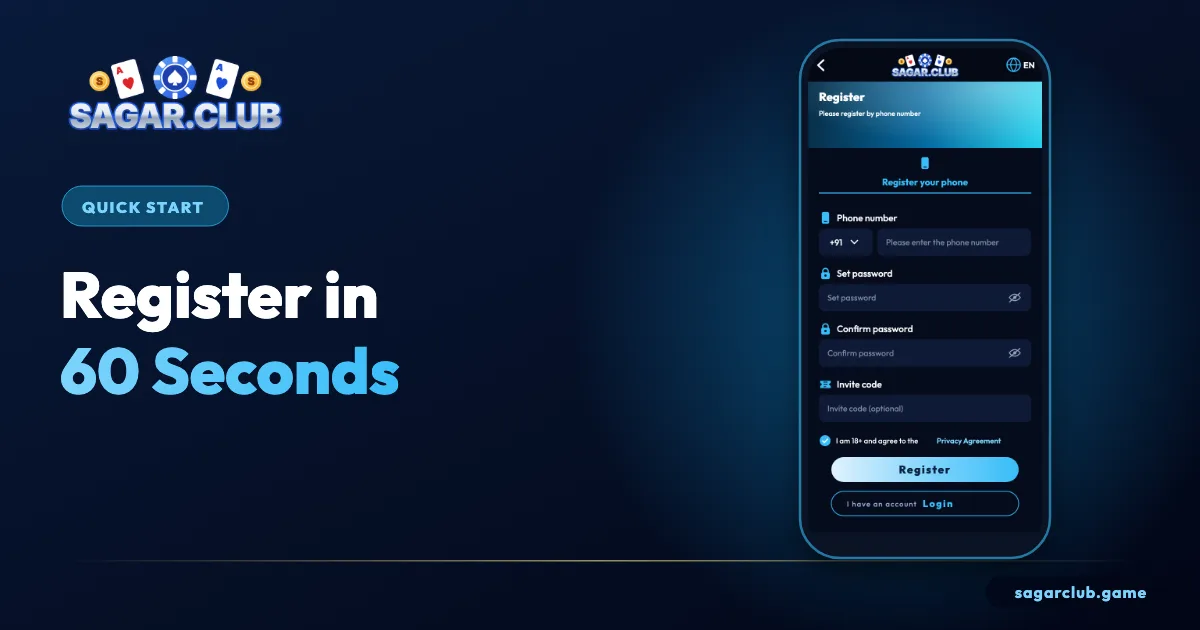
Number, password twice, optional invite code, tick 18+, tap Register, enter the SMS code. Then write down your UID and bind an email.
On this page
— PREPARE
Ten seconds of preparation
Have these ready.
- The SIM you’ll keep, in the phone.
- A passphrase: three words and a number.
- A friend’s invite code, if any.
— STEPS
The 60-second sequence
In order.
- Tap Register.
- Ten digits after +91.
- Password, then confirm it.
- Invite code (optional).
- Tick 18+.
- Register → SMS code → Verify.
— MISTAKES
Three time-wasting mistakes
Avoid these.
Pasting the password
Hidden spaces cause ‘passwords do not match’. Type both by hand.
Requesting codes repeatedly
Only the newest code works; too many requests trigger a pause.
Using a temporary SIM
Resets go to that number forever. Use your main one.
— AFTER
Straight after
Three settings.
- Note your UID.
- Bind an email.
- Turn on login alerts.
— CHECK
Did it work?
How to confirm.
After entering the SMS code you should land in the lobby with a nickname and UID shown on the Account page. If you’re sent back to the register screen, check the error message against the table on the full register guide.
— WHY FAST
Why a fast sign-up is still a careful one
Speed comes from preparation.
Registering in a minute doesn’t mean rushing. It means having everything ready before you start: the right SIM in the phone, a passphrase in mind, and an invite code copied if you have one. With those in place, filling in the form is quick and the chance of mistakes is low. Most slow sign-ups are slow because of avoidable problems – a mistyped password, an SMS going to the wrong SIM or repeated code requests that trigger a pause.
Spend thirty seconds preparing and the remaining thirty seconds are genuinely all you need.
— EXAMPLE
A real-world example
From start to lobby.
Here’s how a smooth sign-up looks. You open the official site from a bookmark and tap Register. You type 98765 43210 without a zero, then a passphrase like ‘mango-river-pencil-41’ in both password boxes. You leave the invite box empty because no friend gave you a code, tick the 18+ box and tap Register. Ten seconds later the SMS arrives; you type the six digits and tap Verify. The lobby opens. Total time: under a minute.
— NEXT
What to do in minute two
Protect the new account.
Go straight to Account. Write down your UID, change the default nickname, bind an email and switch on login alerts. Then set a phone alarm for however long you plan to spend in the app today. That’s minute two – and it makes the account much safer for years.
— RECAP
Sixty-second sign-up – recap
Prepare, then register.
Have the right SIM in your phone, a passphrase ready and any genuine invite code copied before you begin. Tap Register, type ten digits, enter the passphrase twice by hand, tick the 18+ box and submit. Enter the newest SMS code and you’re in. Avoid pasting passwords, requesting codes repeatedly or using a temporary SIM – those are the three biggest time-wasters. Then spend minute two protecting the account: note your UID, change the nickname, bind an email and turn on alerts. Fast and careful aren’t opposites; preparation makes both possible.
After that, the rest of Sagar Club – games, rewards and settings – is explained step by step on this site.
Open Sagar Club the right way
Use the official app or website – one Sagar Club account works on every device.
— FAQ
Frequently asked questions
How long does registration take?
About a minute.
Can I register on a laptop?
Yes – the steps are identical in a browser, but the SMS code still goes to your phone.
What if the 60 seconds runs out before the code arrives?
Nothing is lost. Wait for the resend timer, check your SMS folders and request one fresh code.