
Sagar Club Results History
Every room keeps a history of past results, and your account keeps a history of your own rounds. Both are useful – for checking, not predicting.
Sagar Club 2026 · Adults 18+ only · Updated October 2026
Quick answer
Room history (under each game) lists recent periods and results; My history (Account → Game history) lists your own rounds with times. Use them to check and to track session length.
On this page
— TYPES
Two kinds of history
Room history and your history.
| View | Where | Shows |
|---|---|---|
| Room history | Under each game | Recent periods and results |
| Trend chart | Next tab under each game | Coloured dots / grid |
| My history | Account → Game history | Your rounds, with times |
— STREAKS
Why streaks happen
Randomness is lumpy.
Random sequences aren’t evenly spread. Flip a coin fifty times and runs of five or six are normal. On a WinGo trend chart, that looks like a long red streak or a column of Big. It feels meaningful, but the next round has no memory of the last.
— USE
Good uses for history
What it’s actually for.
- Confirm a round you took part in.
- Copy a period ID for support.
- Learn the colour chart by matching numbers to dots.
- Check how long your session really lasted.
Every result is random and independent. No chart, group, app or ‘hack’ can predict the next one – anyone selling predictions is running a scam.
— GAMBLER’S FALLACY
The trap of ‘it’s due’
A mistake everyone’s brain makes.
After five reds in a row, it feels as if green must be coming. This feeling is so common it has a name – the gambler’s fallacy. Each WinGo round is drawn fresh, with no memory of the previous ones, so the chance of green after five reds is exactly the same as after five greens. Knowing the name of the trap makes it easier to notice when you’re falling into it.
— SUPPORT
Using history with support
Period IDs save time.
If something looks wrong in a round you joined, copy the period ID from your own game history and send it to customer service together with your UID and a screenshot. A specific period ID lets them look at exactly the right round.
— CHARTS
Types of trend charts
Different views of the same data.
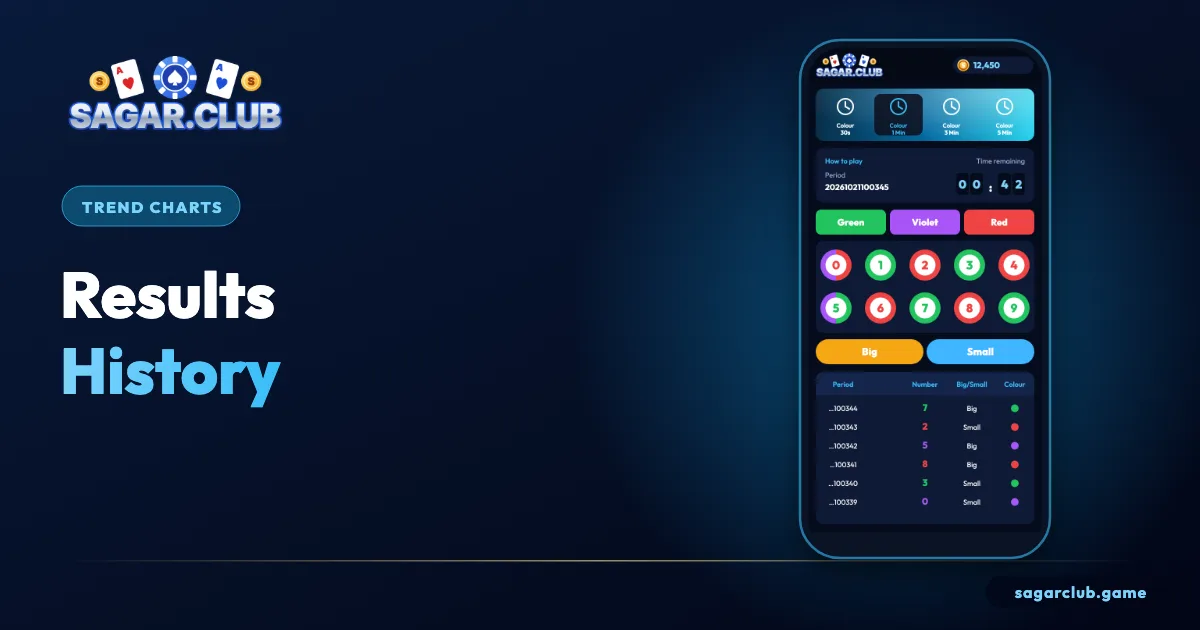
Sagar Club‘s lottery games offer several ways to view recent results. The plain list shows period, number and colour row by row. The trend grid places a dot in a column for each result, making colour and size runs easy to spot. Some games add a statistics panel showing how often each number appeared over the last hundred rounds. All three are summaries of the past, presented differently.
Statistics panels are particularly easy to misread. A number that appeared less often recently isn’t ‘cold’ or ‘due’ – over a short window, uneven counts are completely normal.
— OWN HISTORY
Reviewing your own sessions
A five-minute weekly habit.
Once a week, open Account → Game history and scroll through the last seven days. Note how many sessions you had, how long they lasted and what time of day they happened. Compare that with what you intended. If the history matches your plan, great. If you see sessions creeping longer or happening late at night, adjust your limits – shorter alarms, fewer days, notifications off. This review is one of the most effective habits for keeping play in proportion.
— EXPORT
Keeping records for support
Screenshots help.
If you ever need to raise a question about a round, take a screenshot of the history row showing the period ID and result, and note the time. Support can investigate faster with a precise reference than with a general description like ‘a round yesterday evening’.
— RECAP
Results history – recap
Use it wisely.
Room history and trend charts show what happened in recent rounds; your own game history shows the rounds you joined, with times. Use them to confirm results, learn the colour chart, copy period IDs for support and check how long your sessions really last. Don’t use them to forecast: streaks and uneven counts are completely normal in random results, and each new round is independent of the last. A weekly five-minute look at your own history is one of the best habits for keeping play in proportion, because it shows your real behaviour rather than what you remember.
Open Sagar Club the right way
Use the official app or website – one Sagar Club account works on every device.
— FAQ
Frequently asked questions
Where is my own history?
Account → Game history.
How far back does room history go?
Rooms show a recent window of periods. For your own rounds, use Account → Game history, which keeps a longer record.
Can I download my history?
Use screenshots of the relevant rows. They include the period ID and time support needs.